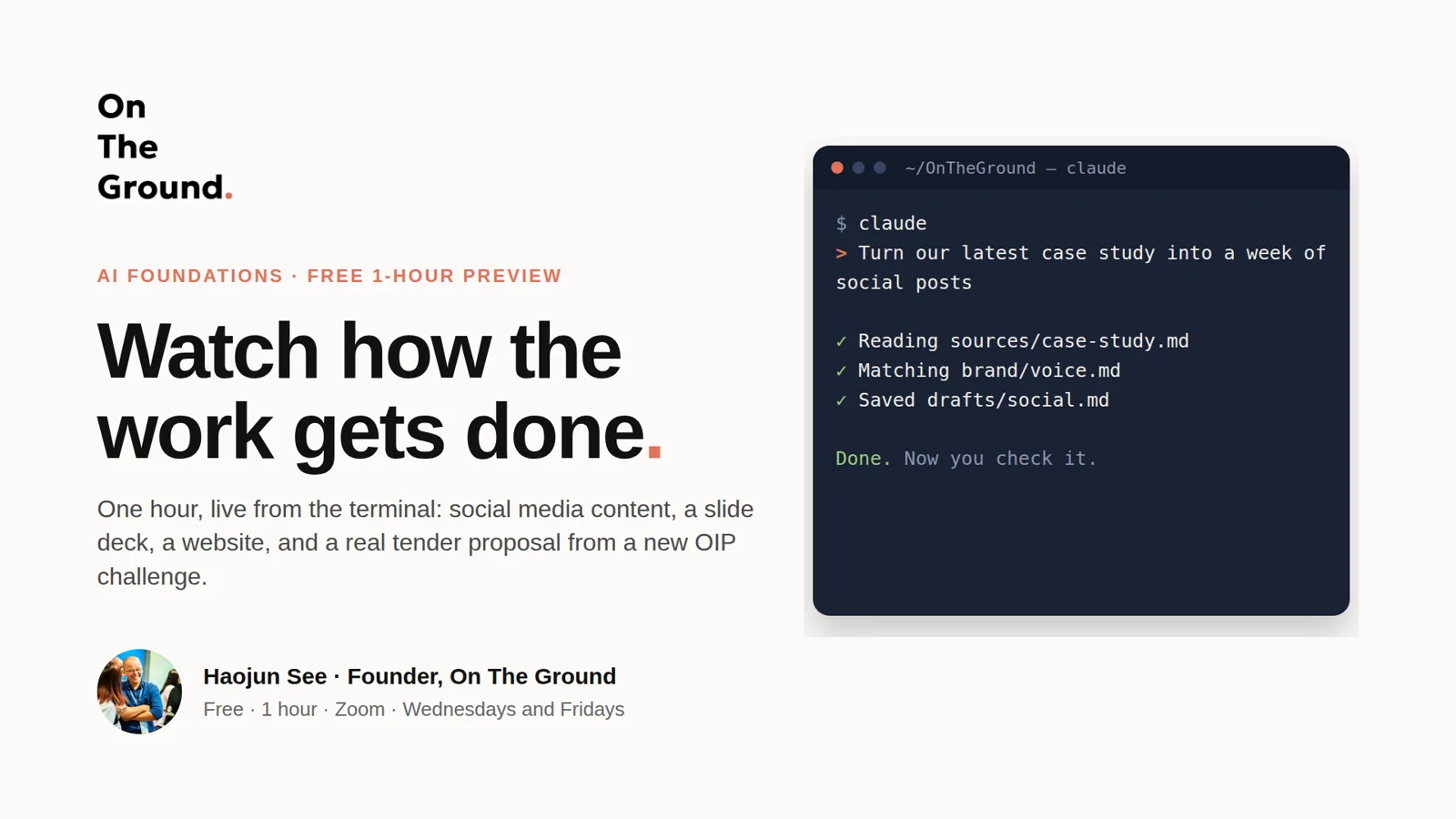
01 / 9
Watch how the work gets done
One hour, live from the terminal: social media content, a slide deck, a website, and a real tender proposal from a new OIP challenge.
Training · AI Foundations · Free preview
The slides the 1-hour preview runs from. Most of the hour is live work in the terminal; these slides frame it. Watch the 75-second version, then scroll for each slide and the exact prompts typed in each demo.
The deck in 75 seconds, no sound. In the live session each demo slide stays up while the work happens in the terminal.
Slide by slide
01 / 9
One hour, live from the terminal: social media content, a slide deck, a website, and a real tender proposal from a new OIP challenge.
02 / 9
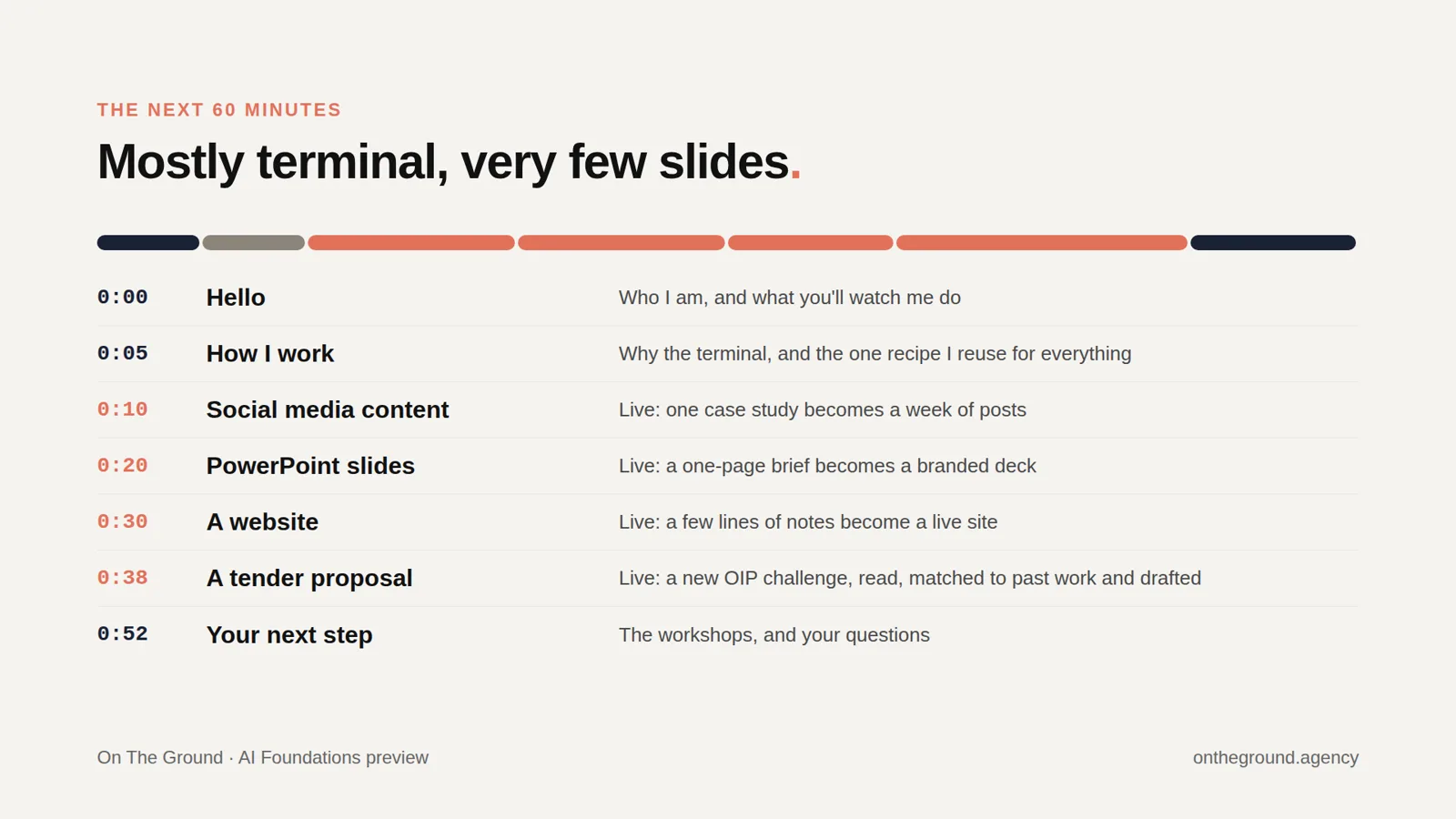
Mostly terminal, very few slides. About 50 of the 60 minutes are four live demos; the last few are the workshops and your questions.
03 / 9
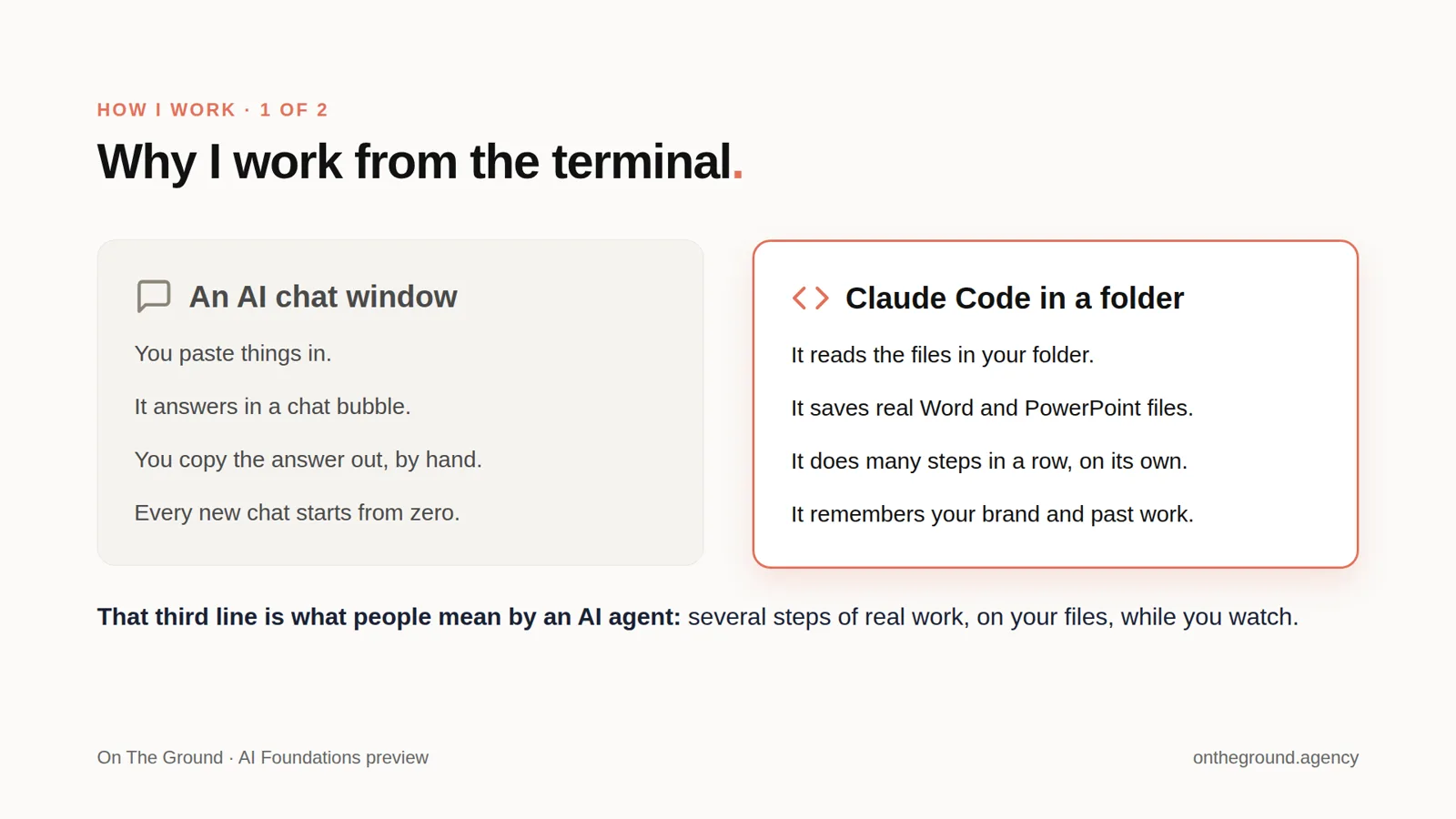
A chat window answers in a bubble and starts from zero each time. Claude Code works inside a folder: it reads your files, saves real Word and PowerPoint files, does many steps in a row, and remembers your brand and past work. That multi-step work is what people mean by an AI agent.
04 / 9
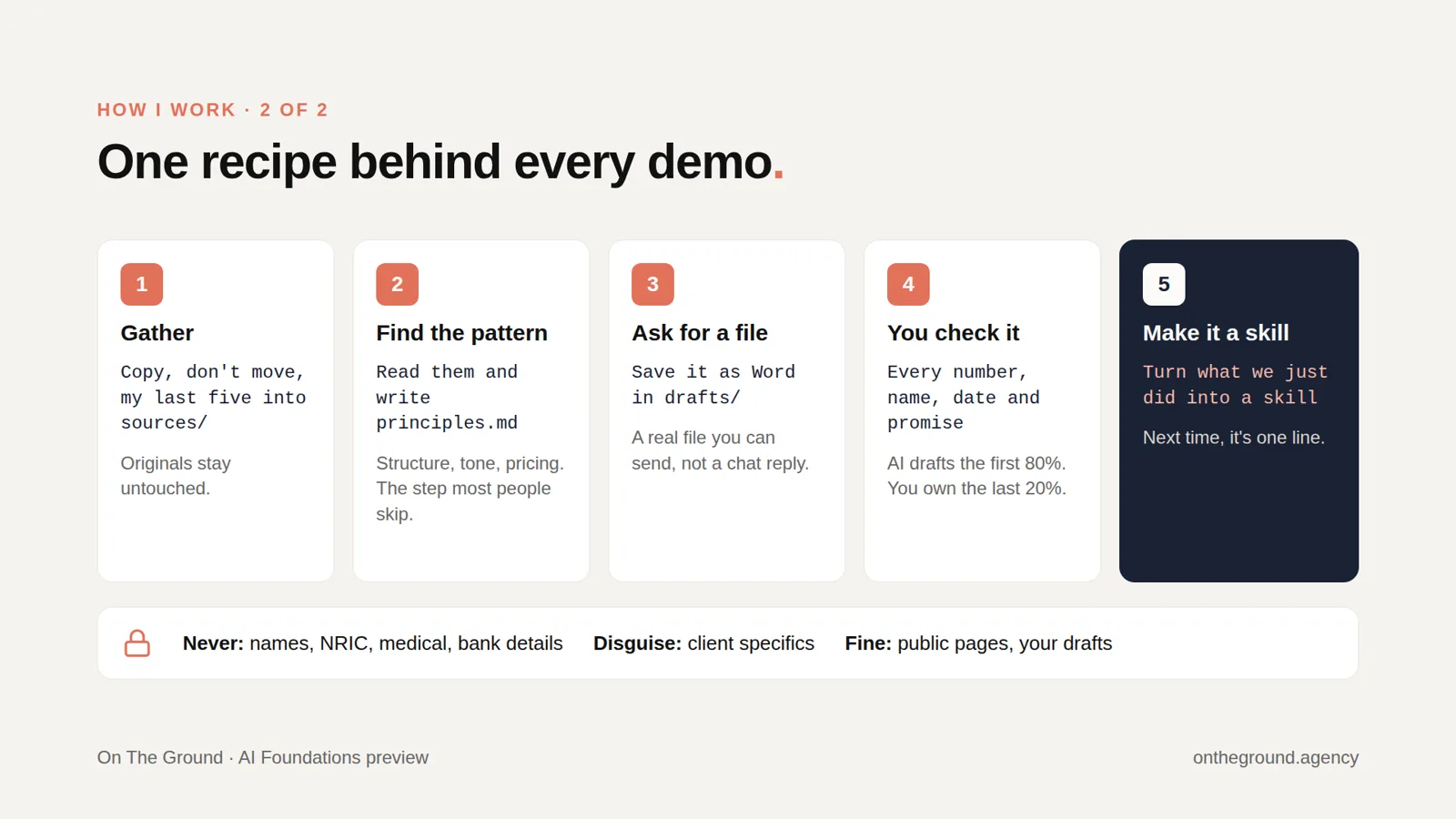
Gather (copy, don't move, your past examples), find the pattern (write principles.md), ask for a real file, check every number, name and date yourself, then save the recipe as a skill. Never put names, NRIC, medical or bank details into AI.
05 / 9
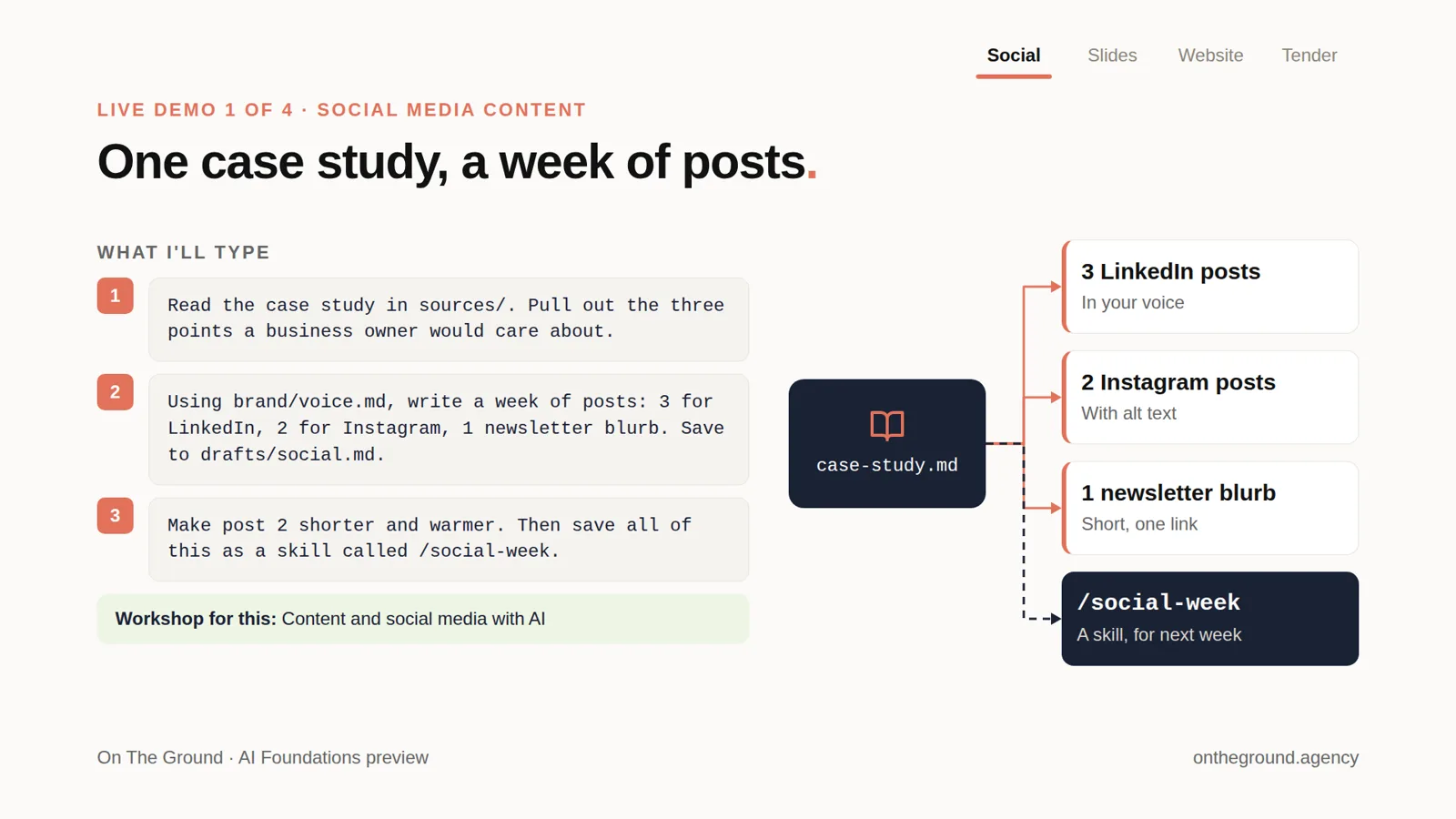
A public case study becomes LinkedIn posts, Instagram posts and a newsletter blurb in your brand voice, then the recipe is saved as a reusable skill.
Learn it hands-on: Content and social media marketing with AI, 3 hours, S$500 per person.
06 / 9
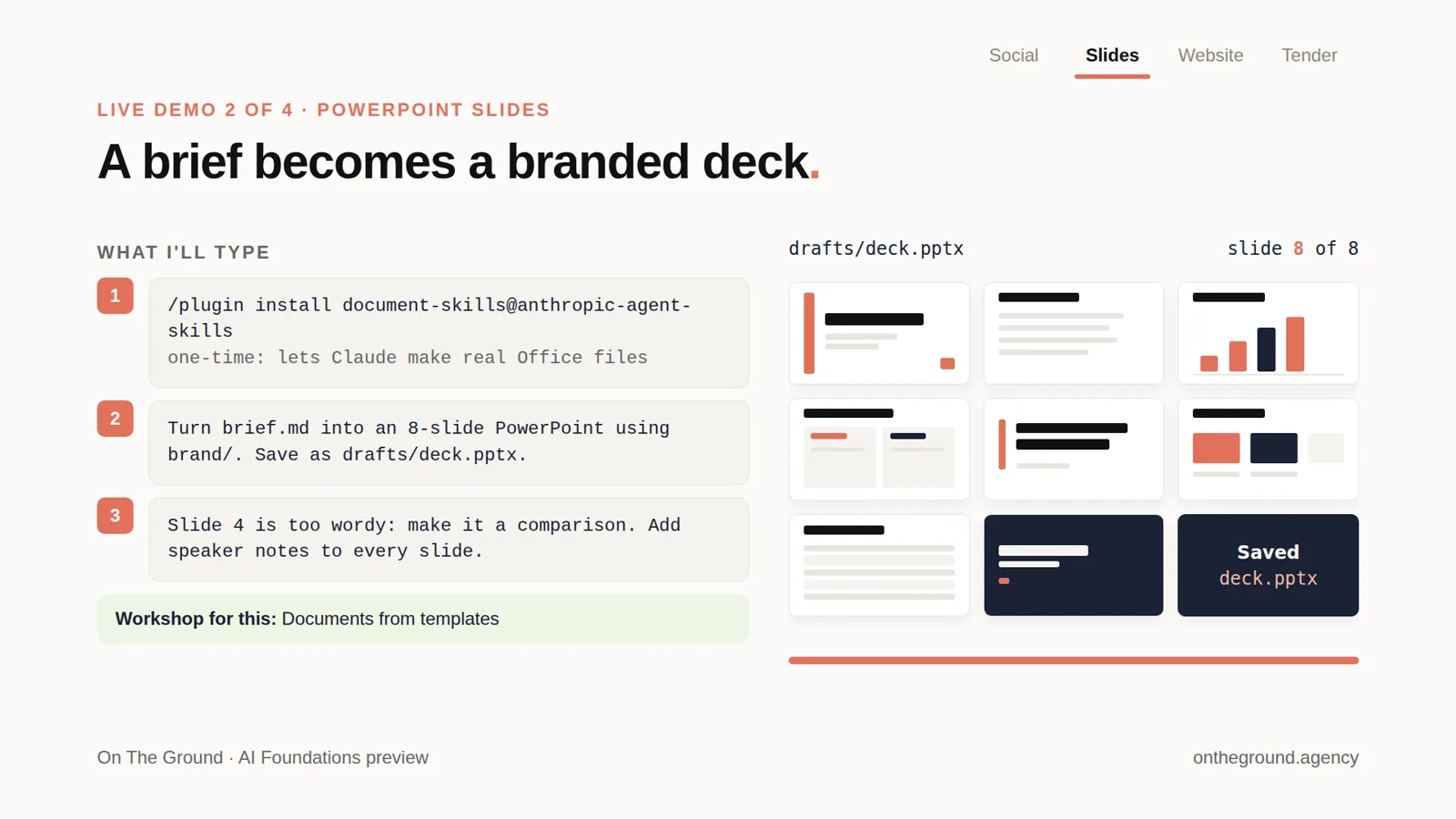
A one-page brief and a brand folder become a real, editable PowerPoint file, changed by asking.
Learn it hands-on: Documents from templates, 3 hours, S$500 per person.
07 / 9
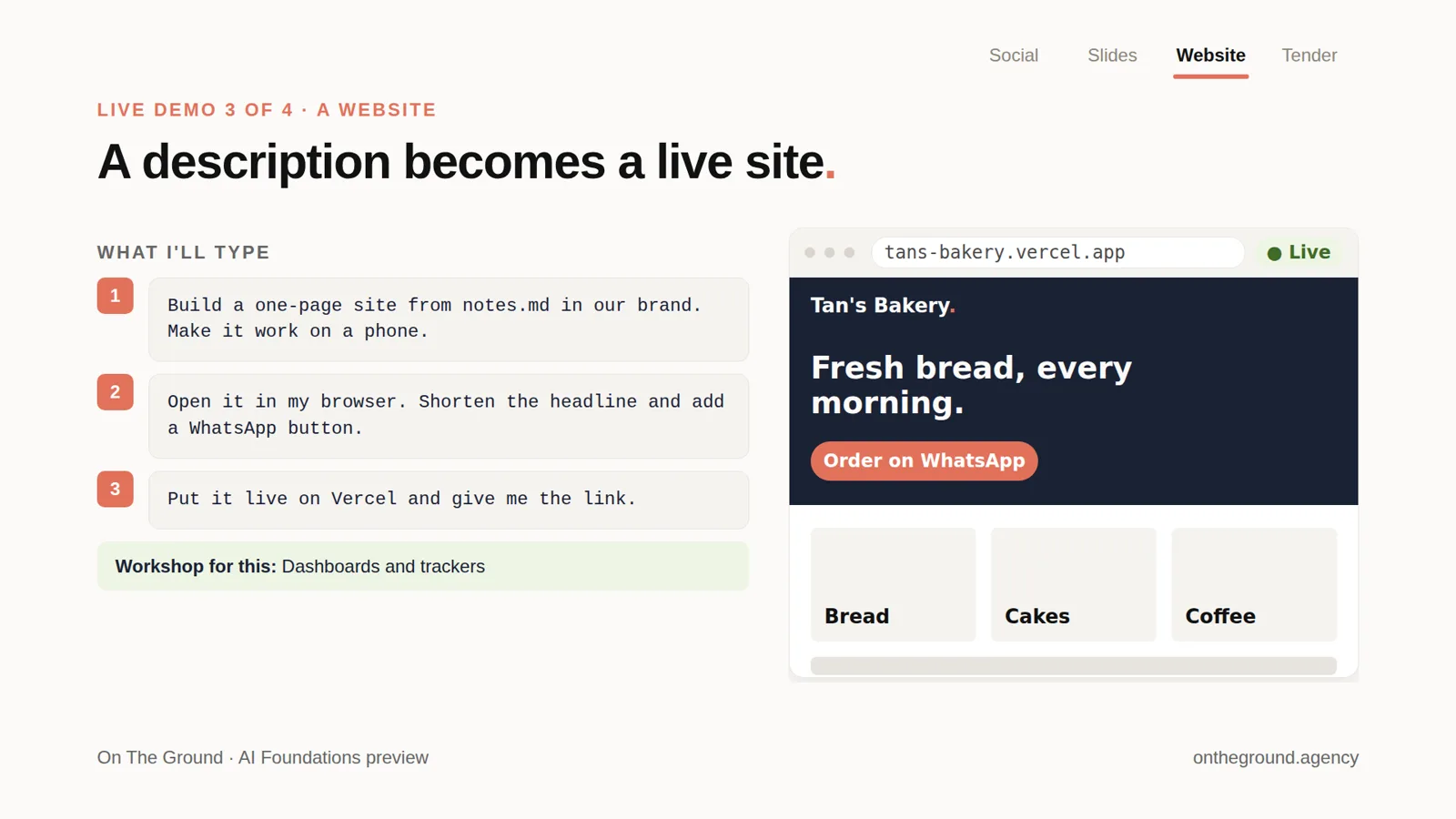
A few lines of notes become a one-page website that works on a phone, edited by asking, then put live with a public link.
Learn it hands-on: Build your own dashboards and trackers, 3 hours, S$500 per person.
08 / 9
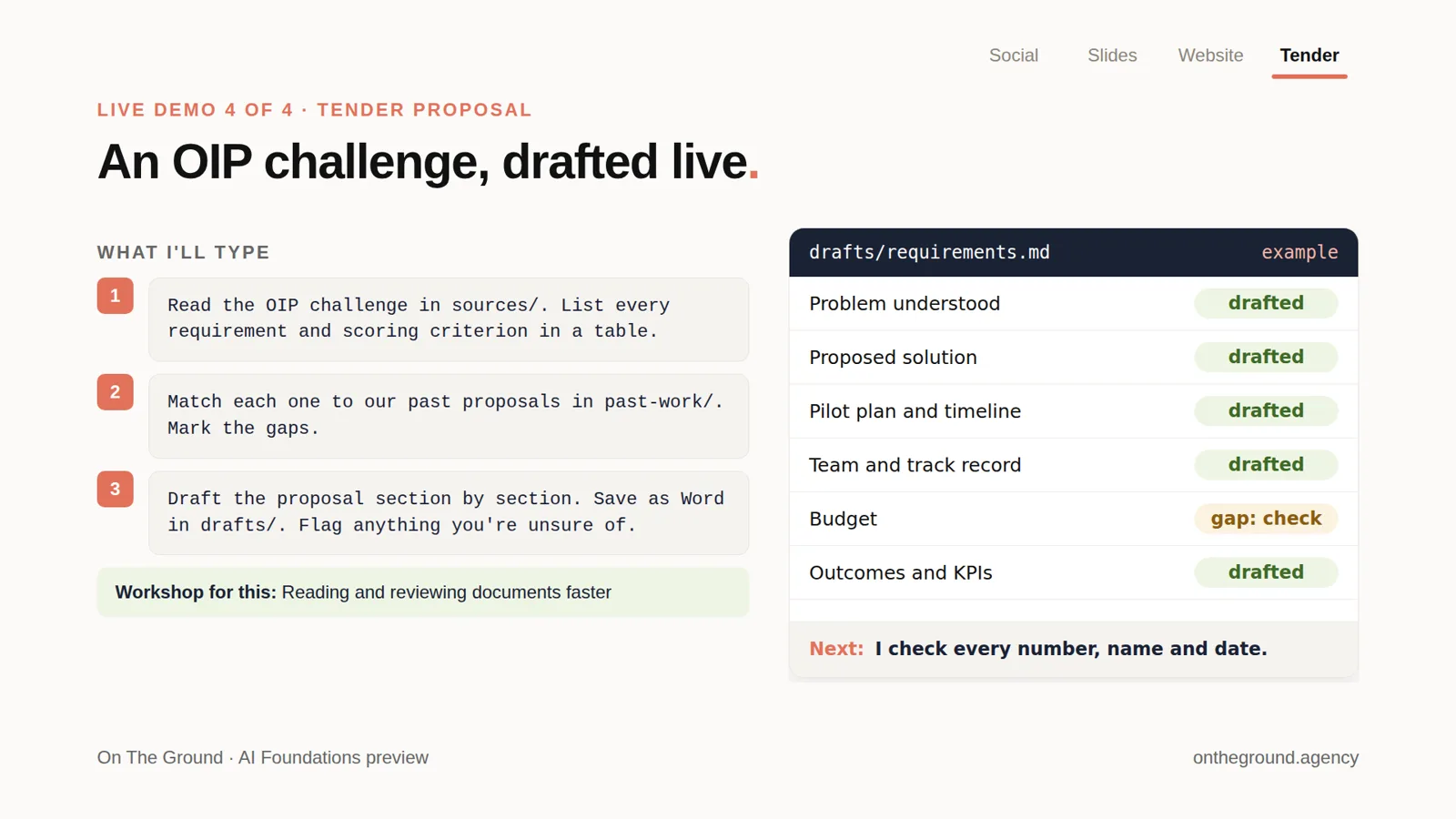
A new challenge statement is read into a table of requirements, matched against past proposals (answers from your own documents), and drafted in Word, with the gaps flagged for a person to check.
Learn it hands-on: Reading and reviewing documents faster, 3 hours, S$500 per person.
09 / 9
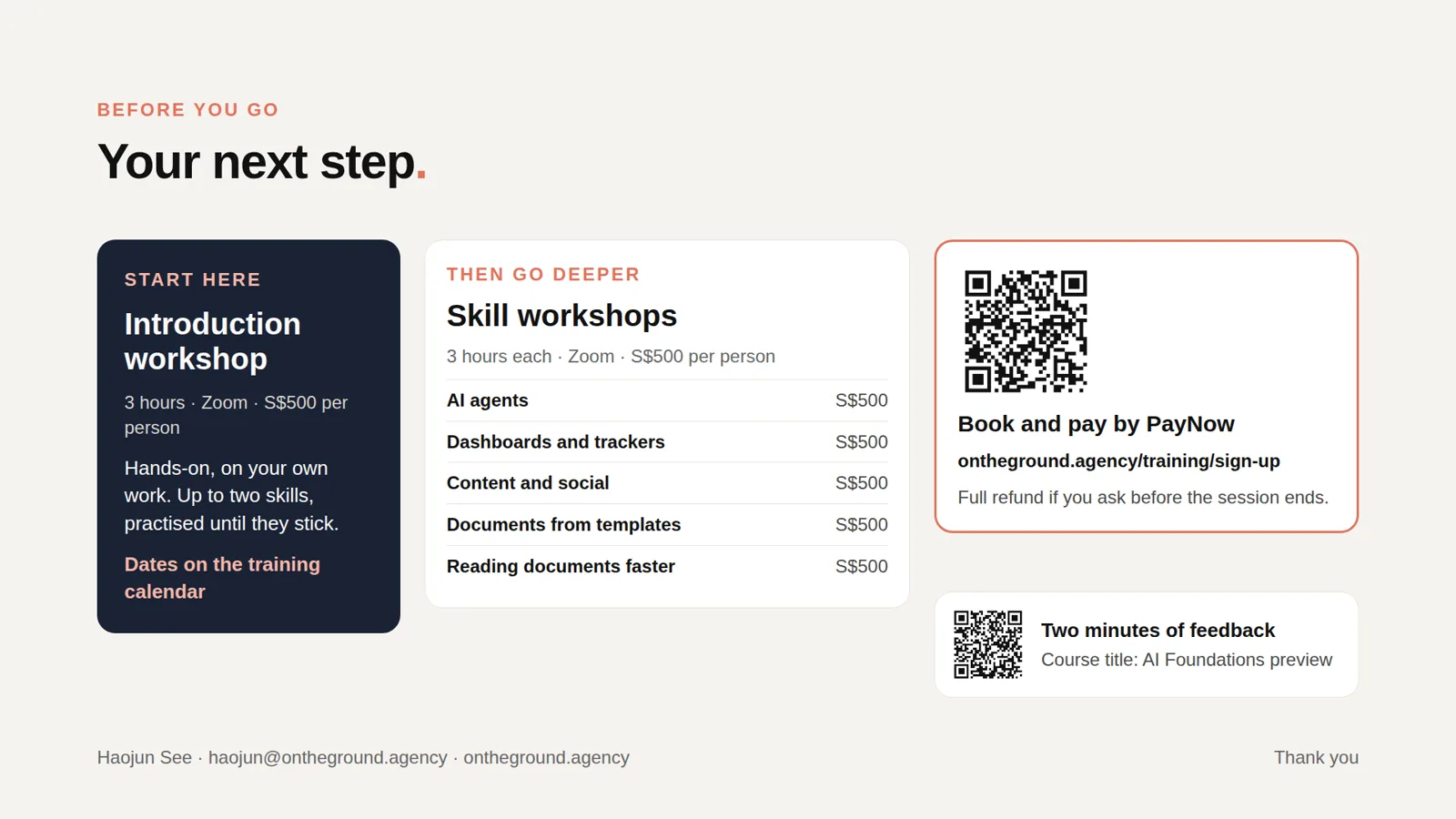
The 3-hour introduction workshop on your own work, then one-skill workshops: AI agents, dashboards and trackers, content and social, documents from templates, and reading documents faster. Each is S$500 per person on Zoom, with a full refund if you ask before the session ends.
Your next step